20/10/2026 17:25
Preview or Print File? Telegram Artwork Handoffs for Cambodian Sticker Shops
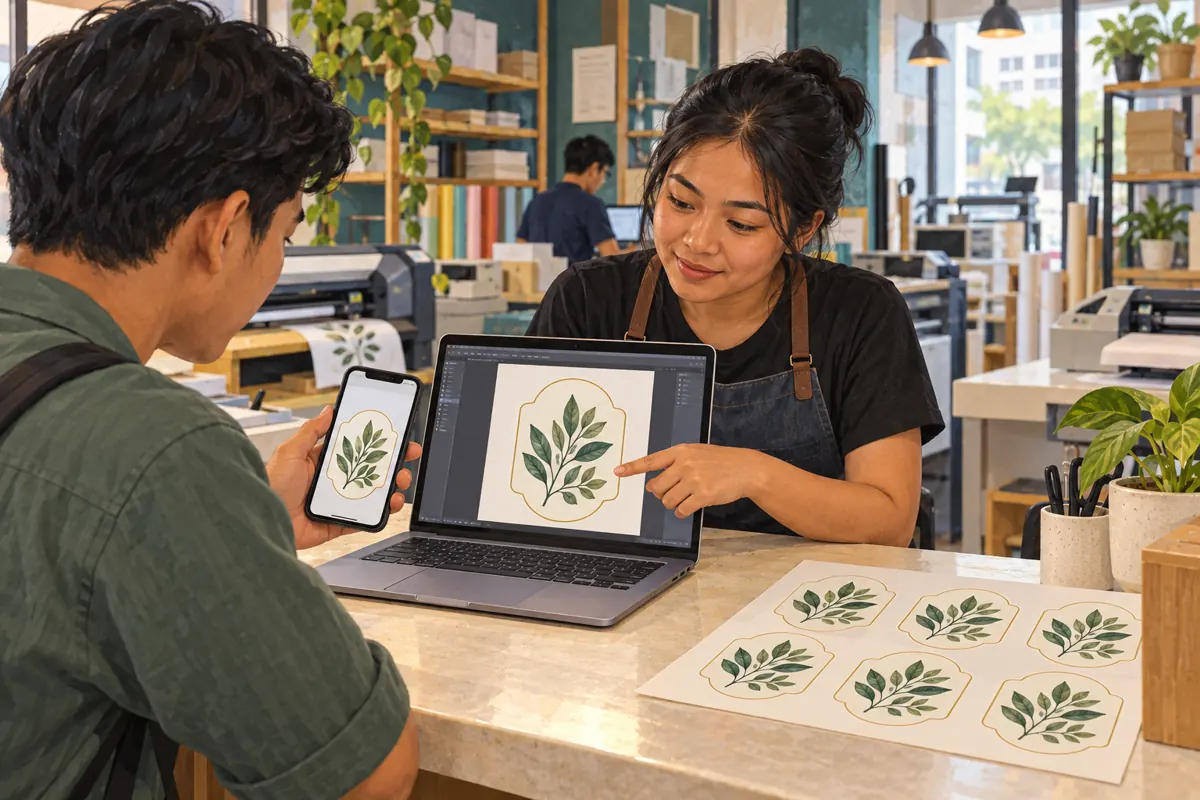
A customer sees your sticker-printing promotion, opens Telegram and sends a picture of a label. It looks clear on the phone, so someone at the counter promises to print it. Later, the production worker discovers that the picture is a screenshot, the requested size is missing and the customer has another version. For Cambodian shops promoting labels for jars, takeaway boxes or retail packaging, the useful next step is a clear artwork handoff. This guide explains how to distinguish a preview from a production file, request the right attachment and connect social promotion to a job your team can actually assess. All business scenarios below are hypothetical.
1. Decide what the customer is asking you to assess
Start with the purpose of the message. A customer asking whether you can produce round labels may only need to show a reference picture. A customer requesting a firm production decision needs to provide the actual artwork and specifications. Treat these as different stages. Otherwise, a friendly response to an attractive design can become an accidental promise about print quality, price or completion.
In a hypothetical Phnom Penh shop, a sauce seller sends a jar photograph and asks for similar labels. The counter worker can discuss shape and material, but should ask whether the seller already owns a design or needs design work. Request the intended width and height with units, quantity, surface and required date. Those details help determine which file to request and which questions must be resolved before accepting the job.
2. Give previews and production attachments different roles
Keep a preview for quick visual discussion and a separately identified attachment for production review. The preview helps both parties recognize the design. The attachment lets the production worker inspect the supplied artwork. Telegram supports sharing files of different types, so the conversation can include both. File sharing itself does not establish that an attachment is suitable for printing. See the official [Telegram FAQ](https://telegram.org/faq?setln=en).
Use a simple naming convention agreed within the shop, such as jar-label-v03-preview.jpg and jar-label-v03-print.pdf. These are illustrative names, not required formats. Tell customers which formats your actual production workflow accepts. A PDF extension alone is not approval, and a photograph may be perfectly useful as a reference without being usable artwork. Keep the matching version number visible in the accompanying message so staff can connect the preview with the correct attachment.
3. Request the original file through the appropriate sending option
Ask the customer to locate the saved export or original supplied by their designer. In their Telegram attachment controls, have them look for the file or document route; where available, an image can be sent using “Send without compression.” Telegram documents that wording in its official Android interface strings. Menu placement can vary by client, so describe the intended action instead of insisting on one universal sequence. [Telegram interface reference](https://translations.telegram.org/en/android/private_chats/SendWithoutCompression).
Explain why the starting file matters: sending a screenshot as a document still sends a screenshot. It does not recover artwork that was absent from that image. A useful request is: “Please send the file exported by your designer, plus a preview so we can identify it. Tell us the finished label dimensions.” If the customer cannot locate the export, ask them to contact the designer rather than repeatedly resending the same picture.
4. Check the downloaded artwork at the intended print size
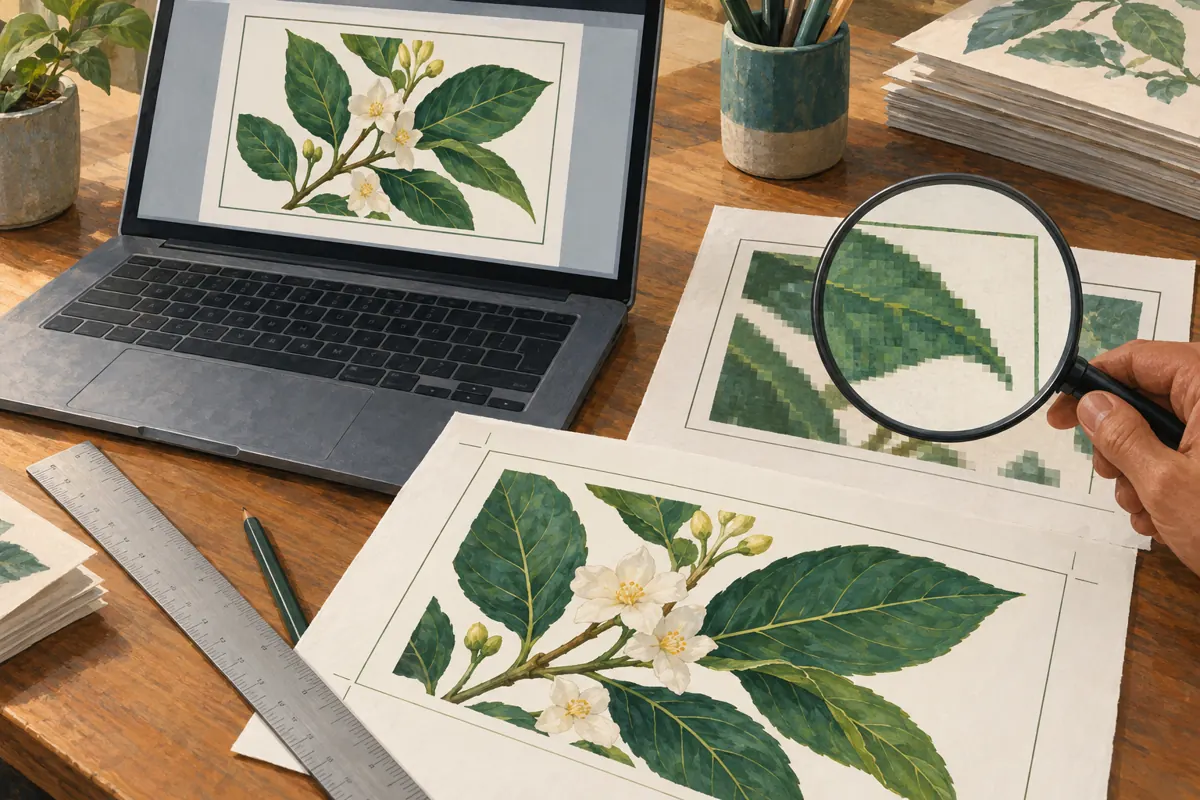
Download and open the attachment in software the production worker normally uses. Check the page or image dimensions, orientation, visible wording and whether the intended artwork is actually present. For raster images, judge resolution in relation to the finished size. Adobe identifies 300 pixels per inch as a common high-quality print standard, while the shop should follow its own production requirements. A small phone preview is insufficient for that decision. [Adobe print-resolution guidance](https://helpx.adobe.com/photoshop/desktop/crop-resize-transform/resize-adjust-resolution/resolution-specs-for-printing-images.html).
Give the customer a specific finding rather than saying only that the file is bad. For example, a hypothetical worker might explain that the requested larger label makes the supplied lettering visibly soft, then request a better export. Have someone competent in Khmer check Khmer wording and character appearance, and confirm any English product variant separately. Ask the production worker to specify required cutting margins and other setup details; avoid copying requirements from an unrelated printer.

5. Confirm one version before anyone starts production
A conversation can contain several designs that look almost identical. Before production, send a compact approval message naming the attachment, its version and the agreed specifications. Include the finished dimensions, quantity and material, together with any unresolved limitation. Ask for an explicit response to that summary. A customer saying that a picture looks nice does not clearly authorize the shop to print a particular file.
For a hypothetical Siem Reap seller, the approval might identify jar-label-v03-print.pdf and explain that it replaces the earlier version with a different product name. If another revision arrives, return the job to review and identify the new version before proceeding. Keep approval and production release as separate internal decisions: the customer confirms the intended design, while the responsible worker confirms that the supplied file can be used under the agreed conditions.
6. Teach the handoff in the promotion itself
Turn the recurring file question into useful social content. Create a short demonstration using a design owned by the shop: show the preview, locate the exported file and explain what information accompanies it. Keep customer chat histories and unrelated files out of the demonstration. The opening can ask whether the viewer has a reference picture or finished artwork, giving people an immediate way to choose their next step.
End the post with a practical request: send the original artwork privately, state the size with units and explain where the sticker will be used. Provide the instructions in Khmer when that suits the intended customers, with English format names where helpful. A hypothetical caption could offer an artwork check before a production quote, provided the shop actually offers that check. Avoid promising that any image sent through Telegram can become a sharp finished label.
7. Keep customer artwork separate from public examples
Receiving a file to complete an order does not automatically mean the customer wants it featured in promotion. Use a generic demonstration design or obtain specific permission for the intended public example. A packaging file can reveal an unreleased product, contact information or a business change. Review both the artwork and anything visible around it before recording the screen or photographing a workbench.
Choose the receiving conversation deliberately. Do not tell customers to upload production files into a public comment thread just because that thread sits beneath the promotion. Explain where to send the attachment and who at the shop will review it. Internally, pass the chosen production file to the worker who needs it, with its approval context. Keep a job copy in the shop's normal records so the finished order does not depend on someone remembering which chat attachment was correct.
8. Evaluate an SMM service against the actual obstacle
Before spending through an SMM panel, describe the problem in one sentence. If customers repeatedly send unusable screenshots, the immediate work is clearer instructions and file review. Purchased engagement cannot repair an export, identify the approved revision or train a counter worker. It also does not establish genuine interest, sales, ad delivery or Cambodian users. Review any proposed service against the platform's applicable rules and the business purpose before deciding whether it belongs in the campaign.
The supplied catalogue includes the exact public name “Telegram Premium 3 Month,” but provides no description. That is insufficient to confirm the seller's activation process, eligibility, price or fulfillment terms. Do not infer those details or official affiliation from the title. First test whether the existing account handles the real artwork workflow. If a subscription is being considered for a specific limitation, verify that feature with Telegram and obtain the missing service terms before purchasing.
9. Avoid mistakes that disguise the real file problem
Renaming an image with a different extension does not turn it into a properly prepared production document. Repeatedly asking for a bigger file is also unhelpful unless you explain what is missing. The customer may send an unrelated large photograph. Ask instead for the designer's export, the intended dimensions or the corrected wording, depending on the actual finding. File size alone should never decide whether artwork is accepted.
Another mistake is letting urgency bypass approval. A deadline can justify a faster review, but unresolved artwork still needs a decision. Offer a realistic choice: wait for a replacement file, approve paid design work if available, or decline the requested output. Do not silently redraw a customer's logo or change Khmer wording to make the job easier. Likewise, distinguish a screen preview from any physical proof your shop offers, and explain what the customer is approving at each stage.
10. Review whether the promotion produces workable enquiries
After using the instructions, review actual conversations for specific friction. Note whether customers understood where to send files, supplied dimensions with units and identified the intended version. Record where the process stopped: missing export, unclear material, design revision or an unconfirmed deadline. These observations can guide the next instructional post. They are more useful for this workflow than treating every reaction as a potential print order.
Keep these observations separate from any SMM service delivery record. A reported delivery quantity says nothing by itself about artwork readiness or customer approval. If you change the demonstration, note what changed before comparing later enquiries, and avoid claiming that the change caused a sales improvement without adequate evidence. Assign one staff member to maintain the public instructions and another, where staffing permits, to confirm that those instructions still match the files the production team can accept.
Frequently asked questions
Is a picture sent without compression automatically ready to print?
No. The sending choice does not fix an unsuitable starting image. The shop still needs to inspect the artwork at the requested size, check the wording and confirm its production requirements. Ask for a replacement export when the source itself is inadequate, rather than asking the customer to resend it repeatedly.
What should we do when a customer only has a screenshot?
Use it to understand the request. Ask whether the original designer or design application can provide an export. If that is impossible, assess whether your shop can recreate the design with appropriate permission, and explain any cost and limitations before starting. Do not promise an exact reconstruction merely because the screenshot looks recognizable.
Should every customer buy Telegram Premium to send artwork?
No. Test the actual attachment first and identify any real limitation. A subscription is not a print-quality tool, and buying one does not replace artwork review. The catalogue name mentioned here supplies no fulfillment details, so it should not be treated as a complete purchasing recommendation.
Can a public sample post include the customer's downloadable print file?
Only consider that when the customer has specifically authorized that distribution and the file is suitable for public release. Permission to show a finished sticker is different from permission to distribute its artwork. A shop-owned sample is often simpler for teaching the handoff without exposing customer materials.
How can we tell whether the instructional post is useful?
Look for concrete improvements in enquiries: customers locating the original export, giving dimensions and identifying revisions clearly. Keep notes on recurring misunderstandings and revise the instructions accordingly. These observations support operational decisions, but neither purchased engagement nor a few successful conversations proves broad demand or a causal increase in sales.
Explore the current service catalogue, create an account, or ask a specific question through support tickets.
- Telegram FAQ — messaging and file sharing
- Telegram Android interface — Send without compression
- Adobe Photoshop — Print resolution for images
Prepared with AI assistance. Illustrations explain the workflow and do not represent customer results.