19/10/2026 18:48
Listening or Learning the Fingering? A YouTube Playback-Speed Workflow for Cambodian Music Shops

A guitar demonstration can serve two different visitors: someone deciding whether to try the instrument and someone learning how the player changes chords. They may need different viewing speeds, but they should understand what each viewing mode can tell them. For Cambodian music shops promoting demonstrations on YouTube, a simple listening-and-learning workflow can make a useful video easier to use. It also creates a sensible checkpoint before considering an SMM panel: establish whether viewers can understand the demonstration, then distinguish genuine questions and shop enquiries from any purchased engagement.
1. Identify the question behind the replay
Start by asking what the viewer is trying to discover. A shopper asking about an acoustic guitar's sound needs a clear listening passage. A beginner asking which finger moves first needs a visible sequence of movements. Someone asking whether the neck feels comfortable needs information that a video alone cannot fully provide. These questions call for different responses, even when they concern the same instrument.
Consider a hypothetical Phnom Penh music shop demonstrating a beginner guitar. One viewer asks to hear the strumming again; another cannot follow the chord change. The shop should direct the first person to the normal-speed performance and help the second study the hand movement more slowly. Treating both questions as requests for a longer video would miss the distinction. Write the intended question at the top of the filming brief so the demonstration has a clear purpose.
2. Establish an honest normal-speed reference
Include a short, uninterrupted passage played at the intended performance tempo. Introduce the instrument and explain whether the recording includes amplification or added effects. Where practical, keep the camera, microphone position and playing approach consistent when comparing instruments. This gives viewers a more understandable reference, although their speakers, headphones and listening environment still affect what they hear.
Recommend normal playback for evaluating the recorded performance. Slower playback can help someone inspect an action, but it changes its timing and should not become the basis for judging the player's natural rhythm. Likewise, a sped-up demonstration should not be presented as evidence of how quickly someone actually performed. If the uploaded video already contains edited slow motion, identify that passage clearly: selecting normal playback reproduces the uploaded edit, not necessarily the original real-time action.
3. Explain the playback control briefly
YouTube's official Android instructions tell viewers to open a video, tap it, open Settings, choose Playback speed and select a speed. On a computer, hover over the player, open Settings and choose Speed. Explain the route appropriate to the customer's device instead of sending a long set of unrelated instructions. YouTube notes that playback-speed controls may not be available on every smart TV or streaming device.
A hypothetical customer reply could say: “For the chord change, try a slower playback setting and watch which finger stays in place. Return to normal playback for the listening passage.” Let the viewer choose a comfortable setting rather than prescribing one speed for every learner. Keep this advice close to the relevant demonstration, and use the customer's preferred language when replying. Test your wording on the device you actually use before making a reusable support response.
4. Film details that remain useful when slowed
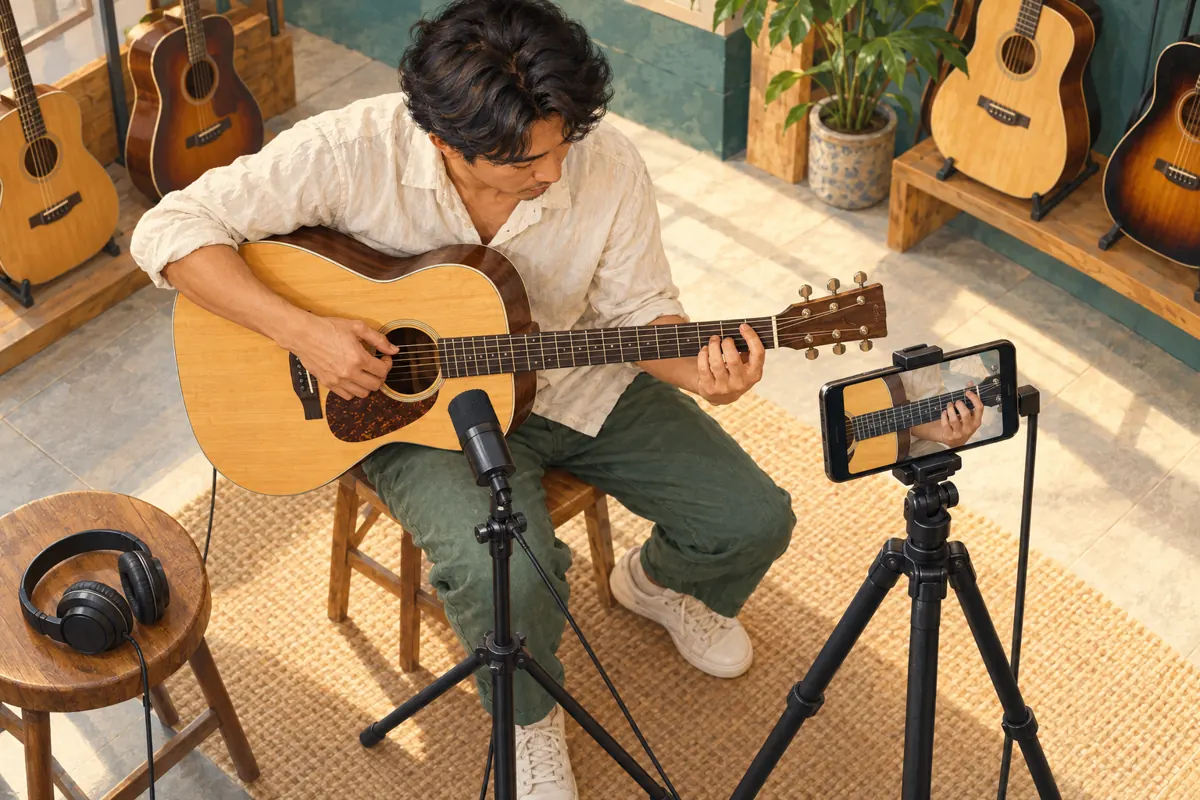
Playback controls cannot reveal fingers hidden behind the neck or recover an action that happened outside the frame. Before filming the full demonstration, record a sample and check whether the relevant fingertips, strings and fret positions are visible. Use a stable camera position and an uncluttered background. Ask the demonstrator to show the starting position, perform the movement and briefly hold the finishing position.
For a hypothetical Siem Reap shop explaining a chord transition, the useful detail might be the finger that remains on the same string while the others move. Frame that relationship clearly. A distant view of the whole shop may look attractive but offer little instructional value. If the sample remains confusing when slowed, change the angle or record a deliberate step-by-step explanation. Spending time on this correction is more useful than promoting a demonstration whose central action cannot be seen.
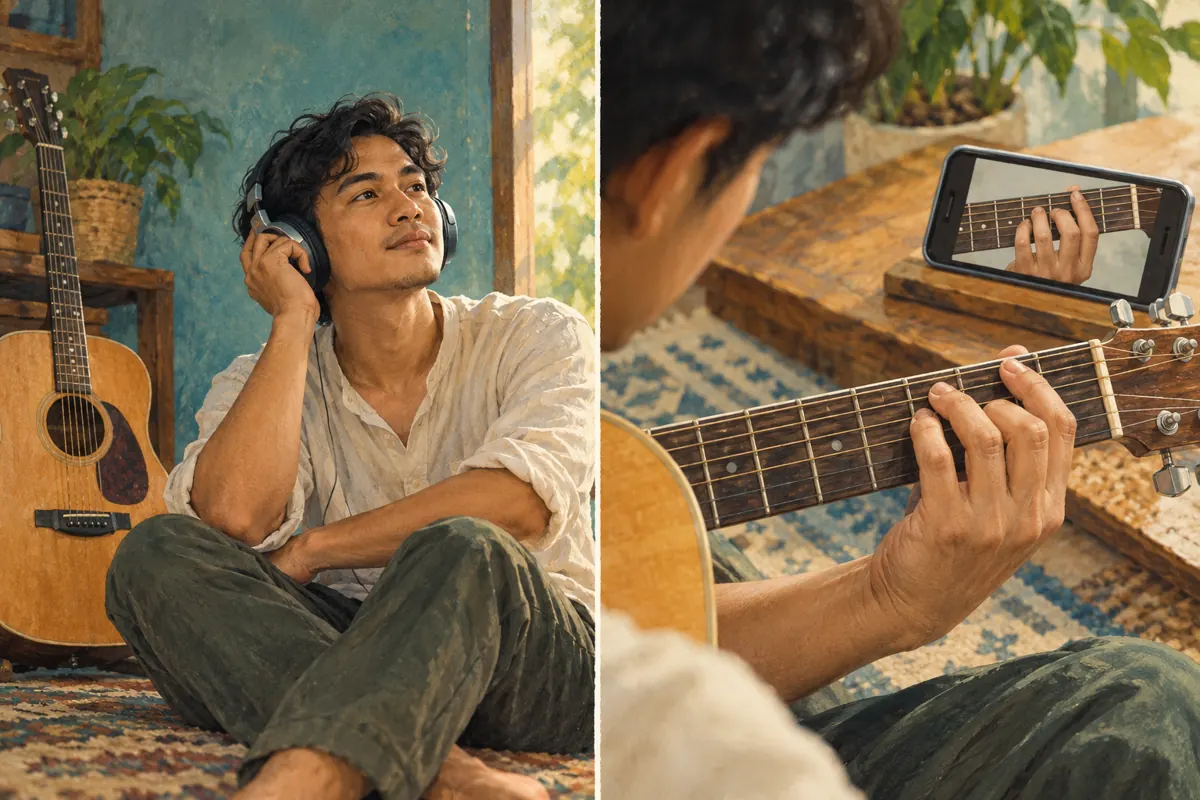
5. Separate the listening passage from the practice passage
Organize the demonstration around two recognizable moments. First, play the phrase so viewers can hear the intended result. Then explain the movement with a closer view and a slower physical demonstration. End by playing the phrase naturally again. The performer deliberately playing slowly is different from the viewer slowing the recording; both can be helpful when their purpose is clear.
Use ordinary spoken transitions such as “Listen to the complete phrase” and “Now watch the finger change.” For an audience that prefers Khmer, record these explanations naturally in Khmer rather than relying on unexplained English interface terms. Keep product facts attached to the correct instrument throughout. If the close-up uses a different guitar, say so. Otherwise, viewers may assume that the hand position, sound and product information all refer to one instrument when the filming actually combined several.
6. Run a small comprehension check before promotion
Ask a colleague who did not help film the video to use it for one concrete task. For example, have them identify which finger moves first or explain where the normal-speed listening passage begins. Avoid the vague question “Does this look good?” A reviewer can like the presentation while still missing the instruction. Record the point of confusion in plain language and fix that specific problem.
A hypothetical review note might read: “The hand is visible, but the explanation never identifies the starting string.” That suggests adding an explanation or a clearer shot. It does not suggest buying more views. Also check the recording through ordinary phone speakers and available headphones. You are looking for obvious obstacles such as speech buried under music, not claiming that one test device represents every Cambodian viewer. Finish with one clear next action, such as asking about availability or arranging to try the instrument.
7. Apply a policy and evidence check to panel services
The supplied catalogue includes “Youtube Watch Time ~ Video 60 Min+ Length [ Q 1k=1000 hrs ] ~ 500/days ~ 0-24 Hours ~ 𝗥𝗘𝗙𝗜𝗟𝗟 30D”. Its label describes a watch-time offering, but the brief supplies no supporting service description. Treat the figures and conditions as catalogue wording, not verified delivery facts. Nothing supplied establishes how attention is obtained, who watches, or whether anyone is interested in musical instruments.
YouTube's fake engagement policy prohibits artificial increases in engagement metrics and warns that a hired promoter's actions can affect the channel. Reject a proposed method that artificially inflates engagement; do not proceed because its label sounds suitable. Purchased engagement is not evidence of genuine interest, sales, official ad delivery or Cambodian users. Making a demonstration longer merely to fit a catalogue label would also undermine its editorial purpose. Keep the video as long as the explanation needs, and choose promotion methods whose operation you can substantiate.
8. Promote the question the video actually answers
Write promotional copy around the useful task: hearing a particular instrument or seeing a specific hand movement. A hypothetical caption could say: “Hear the beginner guitar played at normal tempo, then watch the chord transition close up. Contact the shop to check current availability before visiting.” This sets a clear expectation without suggesting that watching the video guarantees someone will master the technique or prefer the instrument.
Share the demonstration where it is relevant and welcome, such as in a reply to someone who asked about that guitar. State the shop location and enquiry route accurately, and check stock before mentioning an available model. If discussing a lesson as well as a product, distinguish the two offers. Someone seeking free technique help is not automatically a guitar buyer, and someone comparing instruments may have no interest in lessons. Give each person a next step that fits the question.
9. Record learning questions separately from buying enquiries
Maintain a short review note with separate categories for technique questions, product questions and requests to visit or purchase. A question about finger placement can inform a future lesson. A question about guitar dimensions may justify a product explanation. A request to try a specific model needs a practical reply about availability. This classification helps staff act without pretending that every interaction has the same business value.
If other promotion or panel activity occurred, record it separately with its date and stated purpose. Do not attribute later enquiries to that activity merely because they happened afterward. Ask customers how they found the demonstration when it fits the conversation, and retain uncertainty when they do not know. The useful conclusion might be modest: the explanation helped answer a recurring question. You do not need a dramatic performance claim to justify maintaining a clear, reusable demonstration.
10. Correct the mistakes that create misleading impressions
One common mistake is telling every viewer to slow the whole video. That may help a difficult movement but make ordinary speech tedious and alter the listening experience. Another is treating slower playback as a cure for poor filming. Hidden fingers, missing explanations and an obstructed view require a production change. A third is comparing instruments with different playback settings and then describing the result as a fair sound comparison.
Avoid presenting learning activity as customer proof. Replays, questions and watch time do not establish a sale, a local audience or satisfaction with an instrument. Never invent comments about how easy the guitar is to play. Keep the review practical: preserve a normal-speed reference, make the important movement visible, explain the viewing options and answer the next real question. If a customer still cannot judge comfort or sound confidently, offer an appropriate in-person trial rather than overstating what the recording proves.

Frequently asked questions
Should we upload a separate slow version of every guitar demonstration?
No. Start with a clear normal-speed recording and a deliberate explanation of the difficult movement. A separate version is useful when it adds something, such as a better angle or a spoken breakdown. Simply stretching the same unclear footage creates another video without resolving the viewer's problem.
Can normal-speed playback prove exactly how a guitar will sound in the shop?
No. It restores the uploaded video's intended playback timing, but the recording equipment, processing, listening device and room still influence the experience. Describe the recording conditions honestly and invite interested shoppers to try the instrument when practical. Avoid claiming that a phone recording reproduces the complete acoustic experience.
What should we suggest when a customer cannot find the speed control?
First establish which device they are using. Give the relevant official instructions rather than assuming all interfaces match. Some TV and streaming devices may lack the control. A clearly filmed, deliberately slow explanation provides an alternative that does not depend on finding a particular player setting.
Does more watch time mean viewers are learning the technique?
Watch time alone cannot establish comprehension. A viewer may be interested, confused or watching for another reason. Ask a focused question about the demonstrated movement and use genuine responses to improve the explanation. Purchased watch time offers no basis for claiming that people learned the technique or want the product.
What should the shop improve first if promotion brings few enquiries?
Check whether the video answers a buying question and offers a clear next step. A technique lesson may attract learners without generating product enquiries. Review the instrument information, availability and contact instructions, then examine actual questions. Do not assume that a larger visible engagement count would solve a mismatch between the content and the offer.
Explore the current service catalogue, create an account, or ask a specific question through support tickets.
- YouTube Help: Speed up or slow down YouTube videos — Android
- YouTube Help: Speed up or slow down YouTube videos — Computer
- YouTube Help: Fake engagement policy
Prepared with AI assistance. Illustrations explain the workflow and do not represent customer results.