21/10/2026 22:37
Can Buyers See the Stitches? YouTube Quality Checks for Cambodian Embroidery Patch Shops

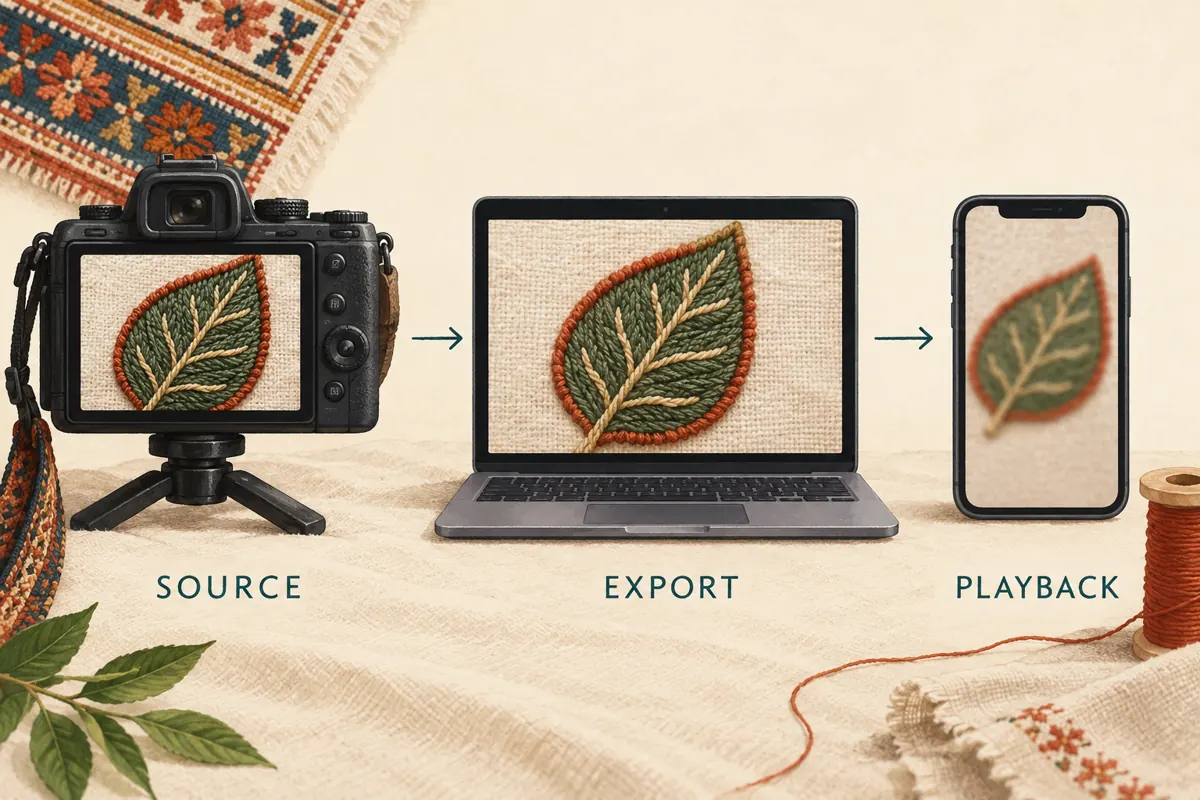
An embroidery demonstration can look attractive while hiding the detail a buyer needs. A stitched border may blend into the fabric, or a close-up may become soft just as the seller explains the finish. For Cambodian patch shops promoting custom work, that creates an avoidable gap between the video’s promise and what viewers can actually judge. Before distributing a YouTube link or evaluating an SMM panel service, check whether the demonstration answers its central product question on an ordinary phone. This workflow follows a hypothetical Phnom Penh embroidery shop preparing a leaf-patch demonstration. It separates recording problems, export problems and playback conditions, then turns the findings into a practical promotion decision.
1. Define the detail buyers must be able to identify
Start with a visible question rather than a resolution target. In this hypothetical example, the shop wants viewers to distinguish the raised stitched border from the flat fabric surrounding it. That is more useful than declaring that the video must look professional. Write a simple acceptance statement: a viewer should identify the border, see the reverse and understand which sample the explanation describes.
Choose a small number of inspection moments before filming. For this demonstration, use the whole patch, a steady border close-up and a separate view of the backing. Keep the actual sample beside the editing screen during review. A beautiful opening shot does not compensate for an unclear product detail later. If the seller also discusses attachment methods, show the relevant backing and explain its limitations separately; appearance alone cannot establish suitability for every garment.
2. Find where the detail first disappears
Compare three versions of the same moment: the original camera recording, the exported file and the YouTube playback. Inspect the border while it is moving and while it is held still. If the original recording is already soft, waiting for upload processing will not correct the capture. If the recording is clear but the export loses the stitches, investigate the edit and export before blaming the platform.
Keep this comparison controlled. Use the same sample, scene and approximate display size instead of comparing a large laptop preview with a tiny phone image from another shot. Note what changed in ordinary language: the border becomes indistinct during the hand movement, or the reverse remains clear but the front loses texture. This gives the editor a specific repair task. A general complaint that the entire video looks bad often leads to unnecessary changes.
3. Film a useful close-up before chasing larger files
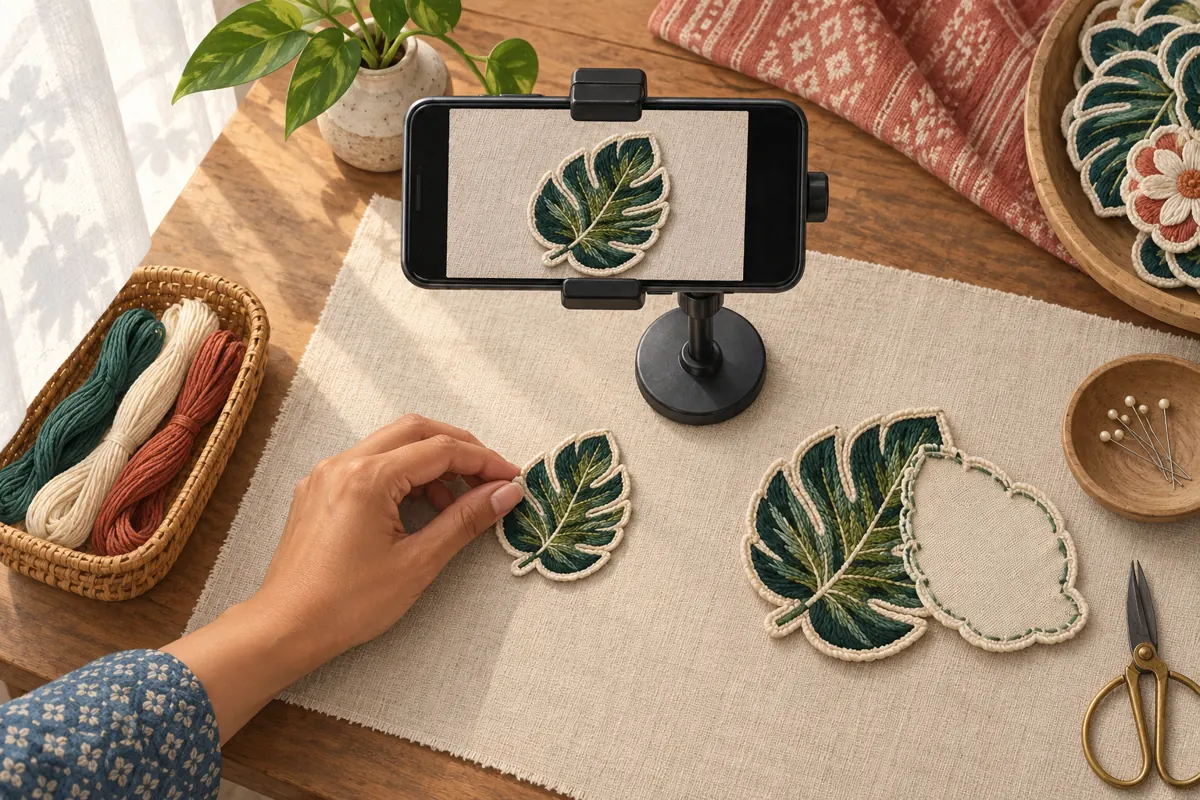
Give the important detail enough space in the frame. Place the patch against a quiet background, support the camera and hold the sample still long enough for someone unfamiliar with embroidery to inspect it. Check focus on the stitches rather than on the fingers holding the patch. Diffuse strong light if reflective thread creates bright areas that conceal the surface.
Record a short trial and watch it before filming the full explanation. Move closer only while the camera can still focus reliably. If the close-up becomes unstable, support the sample on the table and move the camera into position instead. Avoid aggressive sharpening or cosmetic filters that make the finish appear different from the physical item. For Cambodian shops discussing orders in Khmer, record a clear spoken explanation too, but ensure the image independently shows which edge or backing is being discussed.
4. Check the actual export that will be uploaded
Review the finished export, not only the editor’s preview. Open the exact file selected for upload and inspect the three agreed moments. Confirm that the whole patch remains visible where needed, the close-up has not been cropped too tightly and any explanatory text stays away from the important stitching. Keep a clearly named approved version so a colleague does not upload an earlier compressed draft.
A hypothetical handoff might identify the leaf-patch demo, its revision date and the approved border shot. The editor should also say whether the file came directly from the editing project or passed through another sharing application. Repeated conversions can make diagnosis harder. Preserve the original recording and the approved export until the review is complete. If the export fails the visual check, correct that stage first rather than uploading several slightly different versions without knowing what changed.
5. Allow for YouTube processing before judging the upload
YouTube’s upload troubleshooting guidance explains that lower-quality versions are processed first; higher qualities such as 1080p or 4K can take longer and may be unavailable for several hours. An upload becoming playable therefore does not necessarily mean every intended quality option is ready. The same guidance suggests uploading as unlisted first and making the video public after the qualities are available.
Build a review interval into the shop’s promotion plan instead of promising an exact processing deadline. Open the watch page and inspect the available quality options before deciding that the upload has damaged the footage. If an expected option is missing, consider processing status and device limitations before starting another upload. Record the observation and return to the same video. Do not send a launch message merely because the upload transfer finished; send it when the intended viewing experience has passed the shop’s check.
6. Test ordinary playback and a selected quality separately
YouTube adjusts playback quality according to viewing conditions, including connection speed, screen size, the original upload and browser support. On a computer, viewers can open Settings, then Quality, and select an available option. On mobile, the Quality menu offers preferences such as Auto and Data saver, with Advanced selection available in supported situations. Higher picture quality can consume more data and cause additional buffering.
Run two different checks. First, open the link on a phone using its normal viewing settings and ask whether the demonstration makes sense. Second, select an available higher resolution and inspect the difficult border shot. The second check helps diagnose available detail; the first tests the experience a viewer may encounter without intervention. Keep both findings. A clear manually selected version does not establish that every customer will receive the same playback conditions, and one soft automatic playback does not establish that the source file is defective.
7. Make the explanation survive a softer picture
A useful product video should retain its central meaning even when some texture is lost. Show the whole patch before the close-up, point to the border without covering it and name the feature in the narration. Separate front and reverse views with a deliberate pause. These choices help viewers orient themselves without requiring them to count individual stitches on a small screen.
For the hypothetical shop, a supporting photograph could show the same sample’s border, while the video explains how that border relates to the backing. Keep the sample reference consistent across both assets. If a customer needs exact colour matching or a physical assessment of texture, arrange an appropriate sample review rather than presenting screen appearance as conclusive. Do not tell every viewer to change their settings as the only solution. Improve framing and explanation wherever those changes would make the product easier to understand.
8. Keep SMM service evaluation separate from image quality
One supplied catalogue entry is named “YouTube Like ~ Max 100k ~ 50k/days ~ Instant ~ 𝐍𝐎 𝗥𝗘𝗙𝗜𝗟𝗟”. Its title identifies a likes offering, but the brief supplies no descriptive terms. Treat the remaining wording as catalogue claims, not verified delivery facts. A likes service cannot fix focus, export quality or a confusing demonstration. It also cannot establish whether someone understood the stitched border.
YouTube prohibits artificial increases in views, likes, comments and other metrics, and says a hired promoter’s methods can affect the channel. Evaluate the actual method before considering a service; skip an offering that relies on artificial engagement or whose method cannot be adequately explained. Purchased engagement is not evidence of genuine interest, sales, advertising delivery or Cambodian viewers. A panel status and a customer enquiry answer different questions. Keep any existing service records separate from the video’s visual review and the shop’s record of genuine product questions.
9. Choose between waiting, repairing and promoting
Use the earliest failed stage to choose the next action. If the original lacks the needed detail, reshoot the relevant segment. If only the export fails, correct the export and review it again. If the export passes but expected playback options are still unavailable, allow for processing and check another supported viewing environment. If detail is available but the explanation remains confusing, revise the shot sequence or supporting information.
Promote only after the demonstration communicates the agreed product distinction and its supporting offer is accurate. For this hypothetical shop, that means confirming the displayed sample, available backing choices and how buyers should request a quotation. Ask enquiries to identify the sample and intended use. Avoid implying that a video view reserves production time or confirms an order. The resulting decision should be concrete: ready to share, awaiting another playback check, or returned to the editor with one clearly described problem.
10. Avoid review habits that hide the real problem
Common mistakes include reviewing only the opening shot, checking only on the editor’s best screen and repeatedly re-uploading before investigating processing. Another is enlarging a low-detail image and assuming the larger frame contains more usable information. Watch the complete demonstration once, then revisit the agreed inspection moments. Where possible, ask a colleague who did not edit the video to describe what they can see before explaining the intended answer.
Keep a short review record containing the video link, export version, device, selected quality, inspection moment and observed issue. Record comprehension separately: the colleague identified the border but confused the backing with the fabric underneath. That finding suggests an explanatory repair rather than a technical one. After sharing, collect recurring buyer questions and use them to improve the next demonstration. A smaller set of clearly understood enquiries is more useful for editorial decisions than a large unexplained counter.

Frequently asked questions
Should an embroidery shop always upload in 4K?
Choose a recording and export workflow that preserves the required detail reliably. A larger resolution label does not resolve missed focus, glare or a patch filmed too far away. Test a representative close-up first. Upgrade the workflow when that test shows a practical benefit, rather than making file size the objective.
Why does the same video look clear on a laptop but soft on a phone?
The devices may be using different playback settings or viewing conditions. Compare the same moment and inspect the selected quality on each device. Also consider the small screen: a technically clear image may still place the important stitching too far away for comfortable inspection.
How long should we wait before announcing a new upload?
Use readiness rather than a fixed waiting period. Check that the intended quality is available, inspect the difficult product detail and confirm that the public viewing experience works. Leave room in the promotion schedule for corrections. Upload completion alone is an insufficient release check.
Can more likes demonstrate that buyers understand the finish?
No. A like does not explain what someone understood, and purchased engagement does not establish authentic demand. Ask a neutral question about the sample, such as which backing is shown, and review genuine enquiries. Keep comprehension checks, quotation requests and confirmed orders as separate observations.
What should staff request when a customer reports a blurry demonstration?
Ask which moment is unclear, what device they are using and whether the problem affects the whole video or one detail. Offer a matching still photograph or a clearer explanation when useful. Avoid requesting account access or unrelated personal information to investigate a viewing problem.
Explore the current service catalogue, create an account, or ask a specific question through support tickets.
- YouTube Help: Troubleshoot audio or video issues with uploads on YouTube
- YouTube Help: Change the quality of your video
- YouTube Help: Change video quality on iPhone and iPad
- YouTube Help: Fake engagement policy
Prepared with AI assistance. Illustrations explain the workflow and do not represent customer results.